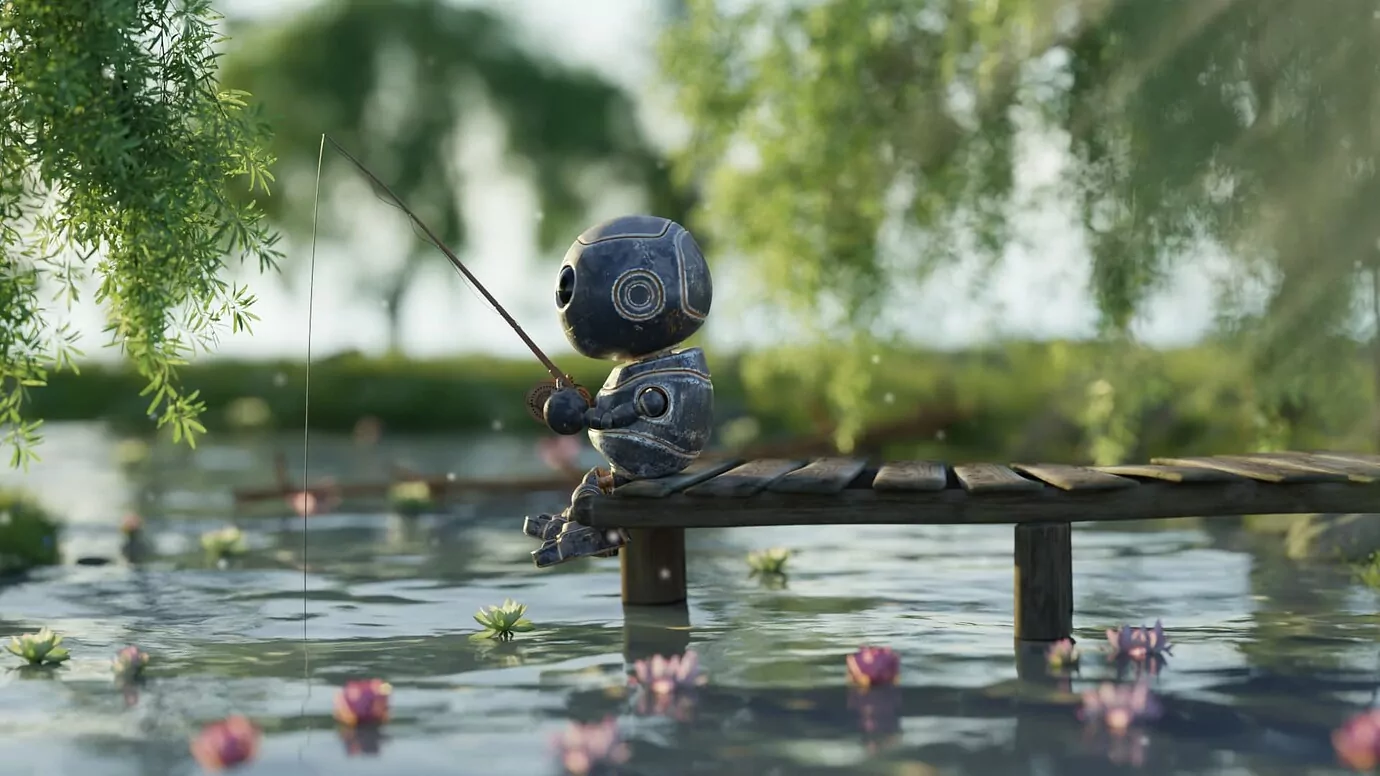
I nearly posted a still version of this, but the animation is so much more fun!
Another exercise in @Blender. The whole scene is based on an amazing scan by @artfletch which I found on @Sketchfab. As soon as I saw it, I couldn’t resist the urge to add a skeleton playing harmonica for a flock of crows.
Much of the release notes for the newly arrived GIMP 2.99.8 covers continuous integration changes. While it might be a boring topic for you, especially if you are in the “DO WANT FEATURES” camp, this is actually great. Here is why.
If someone fixed a bug that annoyed you or implemented a new feature that you really wanted, you can now test this on your operating system of choice and provide feedback to both the contributor and GIMP developers before they cut a release or sometimes even before they merge a fix or a feature into main development branch.
It’s a kind of a big deal when you think how much folklore is rooted in a belief that GIMP developers don’t listen to users.
Speaking of which, you can now use clone tools on multiple layers. The feature was requested and sponsored by Gleb Alexandrov of Creative Shrimp. His use case is working on multiple maps of the same material in a photoscanning workflow.
It’s a question of whether the pbr tweaking workflow is available. Each material consists of 4-5 maps which are aligned. It’s impossible to change the input 4-5 times each time you do a cloning operation (nearly impossible to sample the same areas on all the maps, I mean). pic.twitter.com/q9dbqKexII
The only other new feature I personally care about is support for larger-than-4GiB PSD files and the loading of PSB files. Now that GIMP 2.99 is generally more responsive than 2.10 when dealing with large multilayer images (this change arrived in an earlier release), this makes a lot of sense sense.
Oh, and as for JPEG-XL support, I’m sort of on the fence about that. There’s probably one new JPEG/PNG killer too many these days. But it’s useful to support these file formats whichever one wins the battle to be the next big thing.
Krita 5.0 beta2
The second beta of much anticipated Krita v5 release arrived recently with a ton of fixes and reworked hardware-accelerated canvas (big props to Dmitry and Agata and everyone else). There’s a full list of changes in release notes.
I’ve yet to get a better picture of what’s coming in the final release, I’ve mostly seen bits and pieces so far. All I can say right now is I have a huge respect for the team. They are dealing with rapid acceleration of brand awareness which brings a ton of new users but also a ton of attention. These things tend to wear developers out. Yet they seem to be handling the load against all odds.
Penpot 1.9
The new verison of this UX/UI design application has several new prototyping features like advanced prototyping and multiple flows. My favorite improvement, though, is live booleans operations (although I’ve already managed to break it). What I mean by “live” is that after applying Union or Difference or what have you, you can still edit original shapes.
Blender and Apple, v3.x roadmap
The really big news with Blender is Apple joining developers fund and contributing Metal back-end for Cycles. There’s the usual mix of suspicions and praises in the community, with a very clear shift towards the latter, at long last. It looks like the majority of the user base (at least the ones you meet online) are beginning to realize that yet another corporate sponsor doesn’t have the power over the project to somehow make things worse for everyone.
The other news is newly published roadmap for Blender 3.x. Ton outlined what you should be expecting from v3.0.
Ian Hubert released a free (public domain) add-on called Shakify to make believable virtual camera shaking. Well… First, we got believable lens distortions and chromatic aberrations. No we have camera shaking. I’d say any time now someone will come up with a rigging add-on to make a virtual actor behave like an unprofessional drunk a-hole on scene 🙂
Free “real life” Blender Camera Shake Addon: Shakify! It’s been *so* fun getting to work with Nathan Vegdahl and his many talents the past few months- and huge thanks to folks on the patreon making this stuff possible. I hope it’s useful for someone!https://t.co/DQkrYvFmz9pic.twitter.com/cRgN5VJTbe
Lubos put an unbelievable amount of work into this release. I mean, this is one of those cases where it’s difficult to compress the list of new features and improvements into an itemized list that is not three pages long. Which is exactly what the changelog looks like originally.
Put another way, you get iOS and Android versions (and if you buy one of those, you get the desktop version for free), there’s an online textures library, infinite per-layer masks, groups for layers and nodes, more shortcuts, materials-to-textures baking, new importing and exporting options and so much more. The source code is available on GitHub as usual (zlib/png license), and building it takes ca. 5 minutes here.
Blender VSE
The video sequencer is getting more than the usual amount of attention lately. Here are the recent changes:
2D cursor is now an overlay, it’s also hidden by default
Ca. 3 times faster thumbnail loading speed by splitting the thumbnail job on two passes, first for visible images, then for everything else. Also, don’t draw thumbnails while rendering, otherwise thumbnail job would constantly restart.
Smaller memory footprint when using thumbnails
Color tags can now be attached to strips
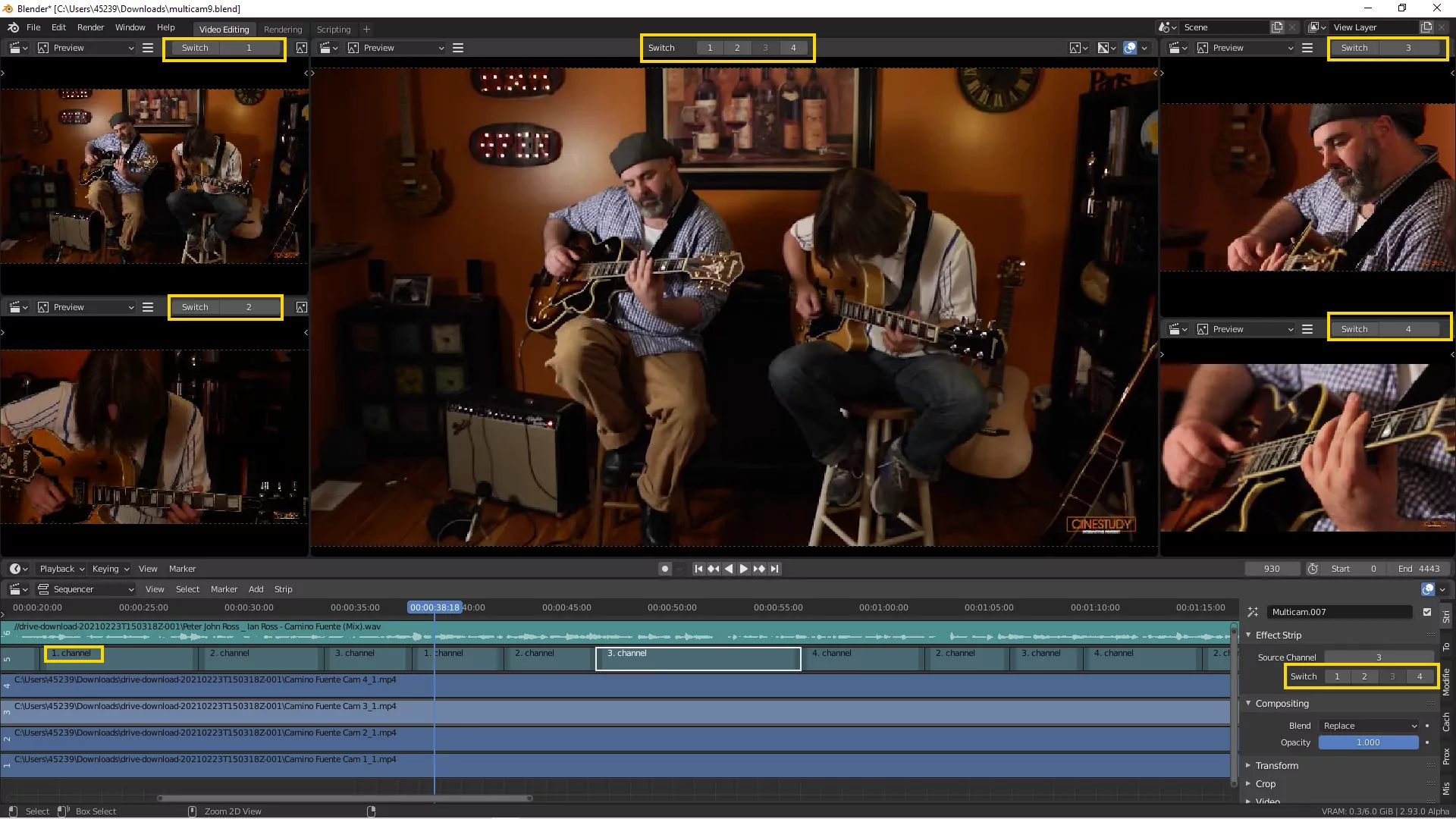
Peter Fog published his Blender add-in for multicam editing on GitHub.
” alt=“Multicam add-on for Blender VSE” >}}
Audacity 3.1.0
This is the first release where you can actually see where development of Audacity under Muse Group is heading to. Highlights:
Clips now have handle bars so that you could easily move clips around
You can now trim clips non-destructively, by dragging left/right sides
Looping has been reworked, Audacity now has editable looping region controls on the timeline ruler
Most major changes are very well covered in the official release video:
They have implemented basic VSTi & VST support, the new UI is mostly done.
They have completely overhauled how the inspector works and how part scores can be generated and modified.
MusicXML import is vastly improved, dozens of engraving improvements are coming too.
The piano roll & automation is delayed. There’s a very active contributor working on that though.
The currently available SFZ sampler called Zerberus will be replaced with a new custom sampler.
There will be a couple of alpha releases, followed by a beta with a long testing cycle, then a few release candidates, and then the final release.
PipeWire news
You probably already saw a few videos on YT where people are positively freaking out because of how well PipeWire actually works this (relatively) early in development. Well, a new version of PipeWire is out. Here’s what’s changed:
There is now an LD_PRELOAD v4l2 emulation library to run some existing
v4l2 applications on top of PipeWire.
Various libcamera plugin improvements.
Filter-chains should now flush out remaining samples when paused. There
is now also the option to let a filter-chain drain so that long filters
such as reverbs can fade out properly.
Stability and compatibility improvements in JACK apps.
Better Bluetooth compatibility with more devices.
In other news, WirePlumber is going to be the new session manager for PipeWire in Fedora Linux 35, and JDSP4Linux, an audio effect processor for PipeWire and PulseAudio clients, got another release recently with all sorts of improvements.
My first attempt at switching to PipeWire a few months back was a failure, but I’m really excited to try again soon.
Clip launching in Ardour 7
Paul Davis released an early preview of a clip launching feature. It’s an 8×8 grid by default, which is what most grid control surfaces have, but it’s will be expandable for all you monome users.
So that’s the ultimate answer to the question, whether Ardour 7 will be out with just internal changes to handling MIDI timing: nope, there will be more.
Stargate DAW
Personally, I find it difficult to wrap my head around Stargate DAW that was recently highlighted by Phoronix. I’m sure there’s a lot of use for applications with UX/UI approach from (generally speaking) FL Studio, I’m just not one of those people. Do check it out though, maybe it’s right up your alley.
There is now a new custom resampler. It isn’t yet used by default, so there is still a dependency on libsamplerate. This might change as users give this new method more testing.
Stretch calculation logic for real-time mode has been improved. It was designed to better avoid timing drift when the pitch ratio changes frequently.
The example LADSPA pitch shift plugin has been updated accordingly: it now exposes a wet/dry mix control to test better timing management in real-time scenarios.
You can now pre-program time-varying pitch shifts using a pitch/frequency map from within the command-line utility.
Paul Davis already claimed he’s planning to make use of the changes in the clip launcher in upcoming Ardour 7.
Tutorials
Time-lapse painting “One With Nature” with Krita, by Raghavendra Kamath:
There’s a new Blender modeling and texturing course over at CGCookie. Here is the full trailer:
Sports poster design with GIMP, by Zakey Design:
Autumn landscape speed illustration with Inkscape, by ukrartdesign:
New Blender Institute short film
Sprite Fright is finally out, all project files are available on Blender Studio (formerly Blender Cloud) for subscribers.
— Miettinen Jesse / Blenderesse (@JesseMiettinen) October 15, 2021
Sven posted another illustration made with Inkscape:
Each of my weekly recaps involves researching, building and testing software, reporting bugs, talking to developers, actually watching videos that I recommend, and only then writing. Time-wise, that’s usually between 10 and 15 hours. If you enjoy the work I do, you can support me on Patreon or make a one-time donation.
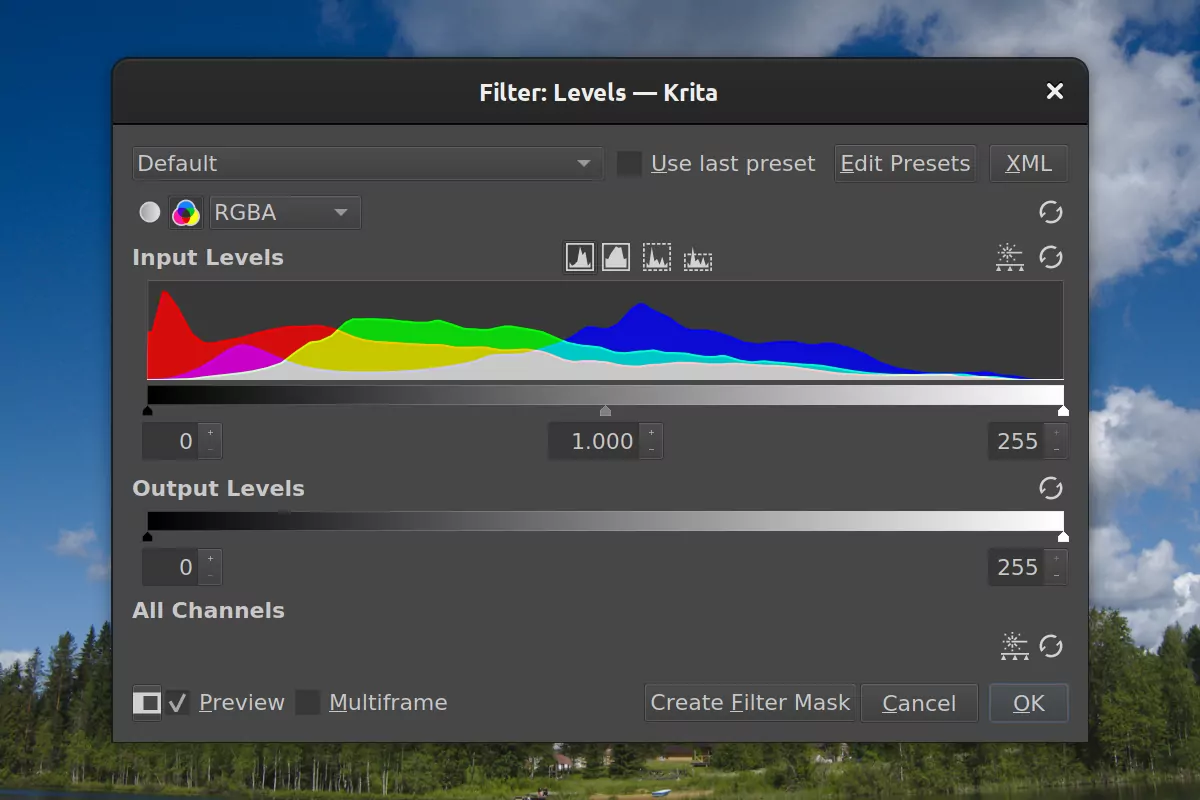
The team is working hard at getting Krita 5.0 ready to be released. That doesn’t mean great new features can’t sneak into the main development branch for what will become version 5.1.0. So Deif Lou took the opportunity to improve the Levels filter.
There’s some code refactoring involved, but on the UI side, changes are quite visible too. You can now edit separate channels, like R or B in RGB, and M or Y in CMYK. For RGB images, you can also tweak H and S in HSL.
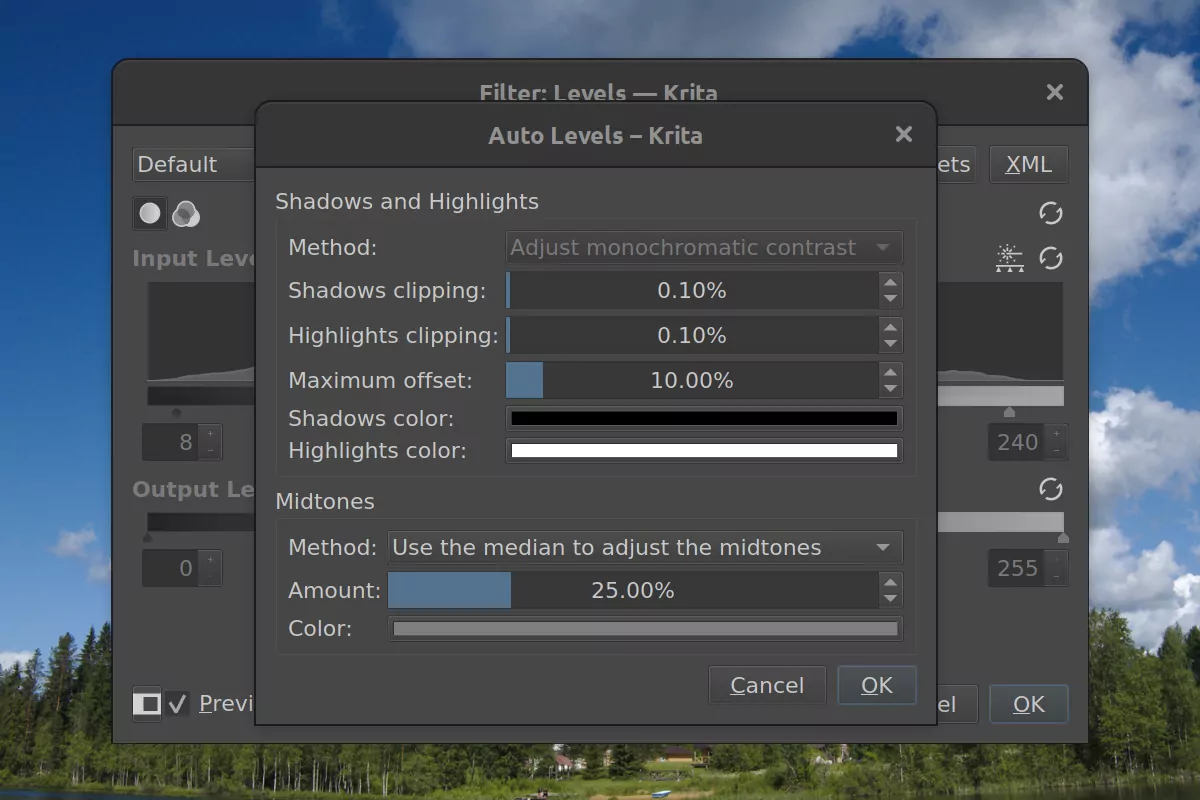
And then there’s a new Auto Levels feature with settings.
Blender 3.0 news
Cycles X landed to the main development branch, which is great for everyone who wanted the rendering to complete faster. Here is a video by Gleb from a few months back:
Pablo returned from a quick holiday to resume hacking on sculpting:
The Grab Brush has an option called Grab Active Vertex. When using modifiers like SubSurf or Solidify, this option renders the wireframe of the original mesh under the cursor. This way, you can see the original vertices affected by the brush on top of the final model. #b3dpic.twitter.com/9eQ4LlpsTP
In 3rd party news, Bend Face v4.0.0 add-on has been released:
#bendface Bend Face 4.0.0 is finally released !!😄 – Simplified the tool, added Left-Bottom menu for rotation angle or move input – Now you can Rotate-Extrude easily! Using the new options “num of copies” auto create connected edge-loops
The OctoPrint Android app has finally reached v1.0 stage, which is a bit of a jump from v0.0.5 released just this March 🙂
Highlights:
A new alpine-based bootstrap, supports Android 4.3+
A lot of new camera settings
Web terminal via ttyd
A new extensions system
More support for plugins
Better USB configuration
Corrupted detection installation
Massive features polish
You can grab an APK build from GitHub (v1.0.1 now available). This is not the first Android remote control for OctoPrint, but as far as I can tell, e.g. OctoRemote is not free/libre software.
Blender VSE updates
I think this deserves its own section, at least, this time. There has been a bunch of great VSE changes lately.
Here is one:
New in Blender VSE: 32 -> 128 supported strip channels. The plan by @dfelinto is to go with 2 channels available by default expandable to “unlimited” #b3dpic.twitter.com/W1FiQAtE9F
Transform Tools in Preview, Overwrite, Snapping and Thumbnail preview on strips are all new features which have landed in Blender #VSE 3.0 alpha. #b3dpic.twitter.com/lRGCEGQSWT
VSE now has ASC-CDL correction method next to Lift/Gamma/Gain in the Color Balance modifier #b3d Will be part of version 3.0 pic.twitter.com/BSKcBH4z9N
People keep raving about Bespoke Synth while the community started contributing to the project with fixes (mostly for the build system) and minor improvements.
Here is a review from Polarity Music, it specifically covers how different some of BS’s concepts are:
More interesting uses of the synth demonstrate just how much expressive the environment is:
wow!!! really fantastic work by @ilirbajri. such a clever use of the eventcanvas module to work like a clip launcher! pic.twitter.com/RZJmCHcZSt
UniQMG on my discord somehow built a vector-graphics driving game that draws on an oscilloscope inside of bespoke. complete with collision detection. you steer with midi. and, of course, the engine sound is synthesized with bespoke.
it is all the more exciting because it looks like Ryan Challinor, the guy behind this project, developed a bad case of RSI last year which is preventing him from releasing videos that he planned for this project, and now users are pretty much doing it for him.
Also, just for the fun of it:
This guy has @vcvrack running inside Carla inside Bespoke Synth (@awwbees) inside Carla inside @Bitwig inside Carla. Now, what bloody sacrifice have _you_ brought to Droste, the fearful god of recursion? 🙂
While the binary release along with the VST version is coming in November, the source code for v2 and preliminary builds from git were made available a week ago. Andrew first announced the coming source code release in the very last message in Mycelium Symposium chat on YT and then pushed the branch shortly after that.
You can fetch builds (Linux included) from the announcement post, although only default modules are available right now. There rest of some ca. 2700 of them would need porting first. Which, I feel, is the reason for the pre-release: gotta give developers something to test updated code against. Officially, Rack 2 API and ABI are unstable for the next few weeks though. But hey, still very exciting!
Rack 2.0 Community Edition and Studio Edition are expected to be released on November 6.
Audacity is getting non-destructive clip trimming
Getting major new stuff into Audacity has been taking time, but we are beginning to see the shape of what’s coming.
Now you can edit waveforms non-destructively in Audacity. Another little step in making wave editing more flexible and easy to work with.
And then the spectral brush, which is one of the two GSoC projects this year, is nearing completion and might become part of v3.1.0 (not guaranteed though).
Each of my weekly recaps involves researching, building and testing software, reporting bugs, talking to developers, actually watching videos that I recommend, and only then writing. Time-wise, that’s usually between 10 and 20 hours. If you enjoy the work I do, you can support me on Patreon or make a one-time donation.
This is a brown paper bag release: 2.10.26 was inadvertently released with a tiny annoying bug, so the team skipped that version entirely. Either way, if you are a Windows user, I definitely recommend upgrading.
This version comes with a bunch of fixes for this platform, especially for cases when GIMP used to be slow with a network drive being temporarily unavailable (not GIMP’s fault, but rather a 3rd party component used by the program).
In other news, GIMP 2.99.x now has a Preferences switch between various Windows APIs for graphic tablets support, thanks to Luca Bacci. Basically, this means support for more tablets. Oh, and Jehan’s patch to support cloning on multiple layers at once has been merged and will be part of 2.99.8, hopefully in the coming October.
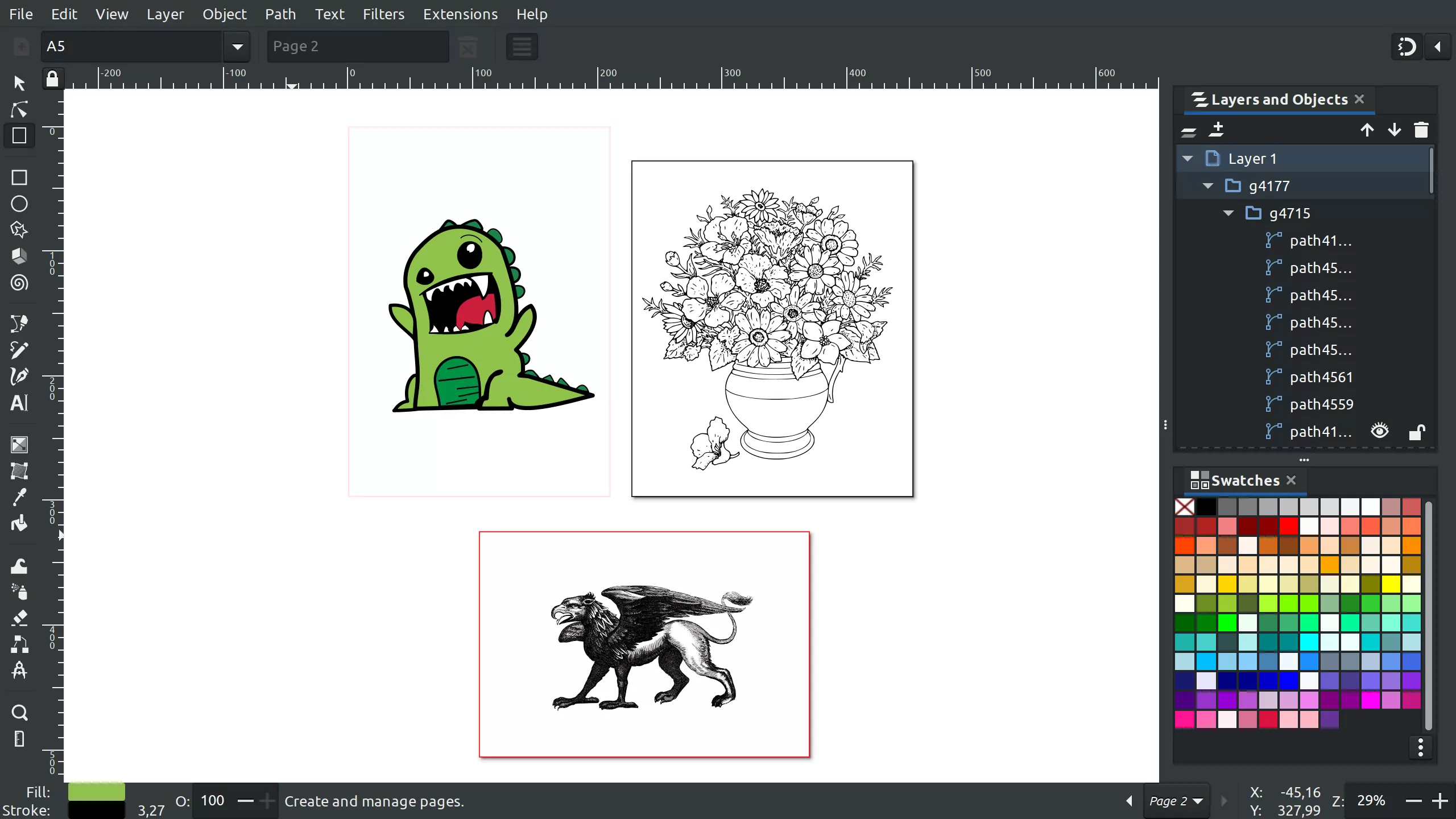
Inkscape got a Page tool
So Inkscape now has an experimental Page tool for creating and managing pages. To be completely frank, Inkscape pages look more like artboards. That is, you can draw them in arbitrary positions and arbitrary ratios, drag them around with their content etc. Please don’t treat any of that as final design yet.
There’s over a dozen new features and improvements in this UX/UI prototyping tool. Not big fancy things, but iterations over previous releases. I’d say, it’s well worth updating. See https://penpot.app/dev-diaries.html for details or the video below! One breaking change is that old share links will be defunct after upgrading.
Glaxnimate 0.4.5
This is a minor update of the animation editor, bringing sprite exporting mode (each frame becomes a tile), as well as numerous usability improvements and bug fixes. See Mattia’s post on Patreon for a complete list of changes. You can grab your download here.
Red Hat is looking for an HDR developer
This is both exciting and a little frightening. There has been some controversy over implementation approaches so far, especially where HDR meets color management (and there’s a still unapplied merge request for Wayland from Collabora developers). Done right, it would propel the Linux ecosystem significantly forward as a platform for content producers and consumers. Done wrong, it would hinder the progress.
It’s that time again. I’m looking for someone to join my team to work on enabling HDR support in upstream Linux, Fedora and RHEL. Global applicants welcome. Underrepresented minorities highly encouraged.https://t.co/hHzUCftz5J
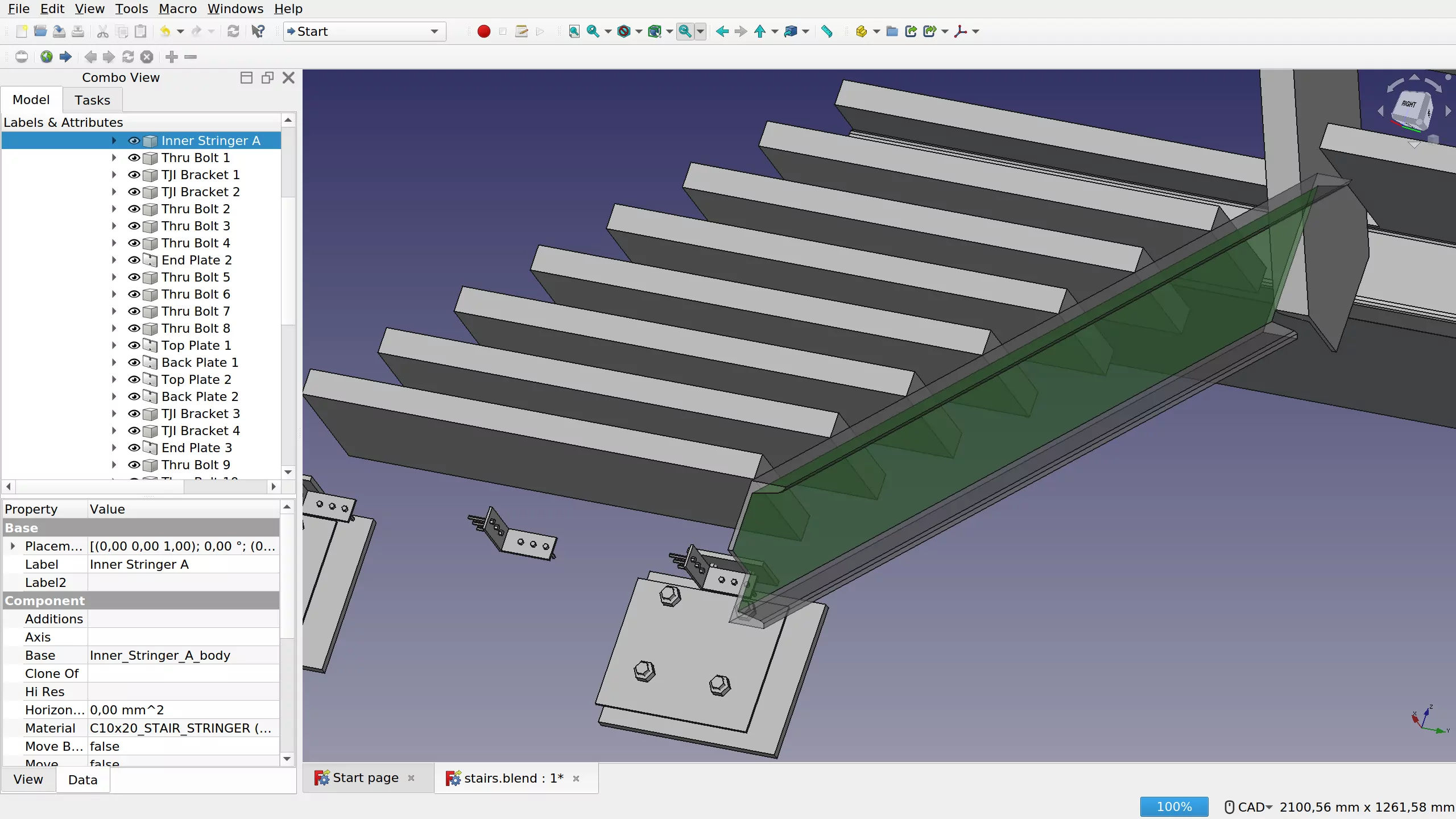
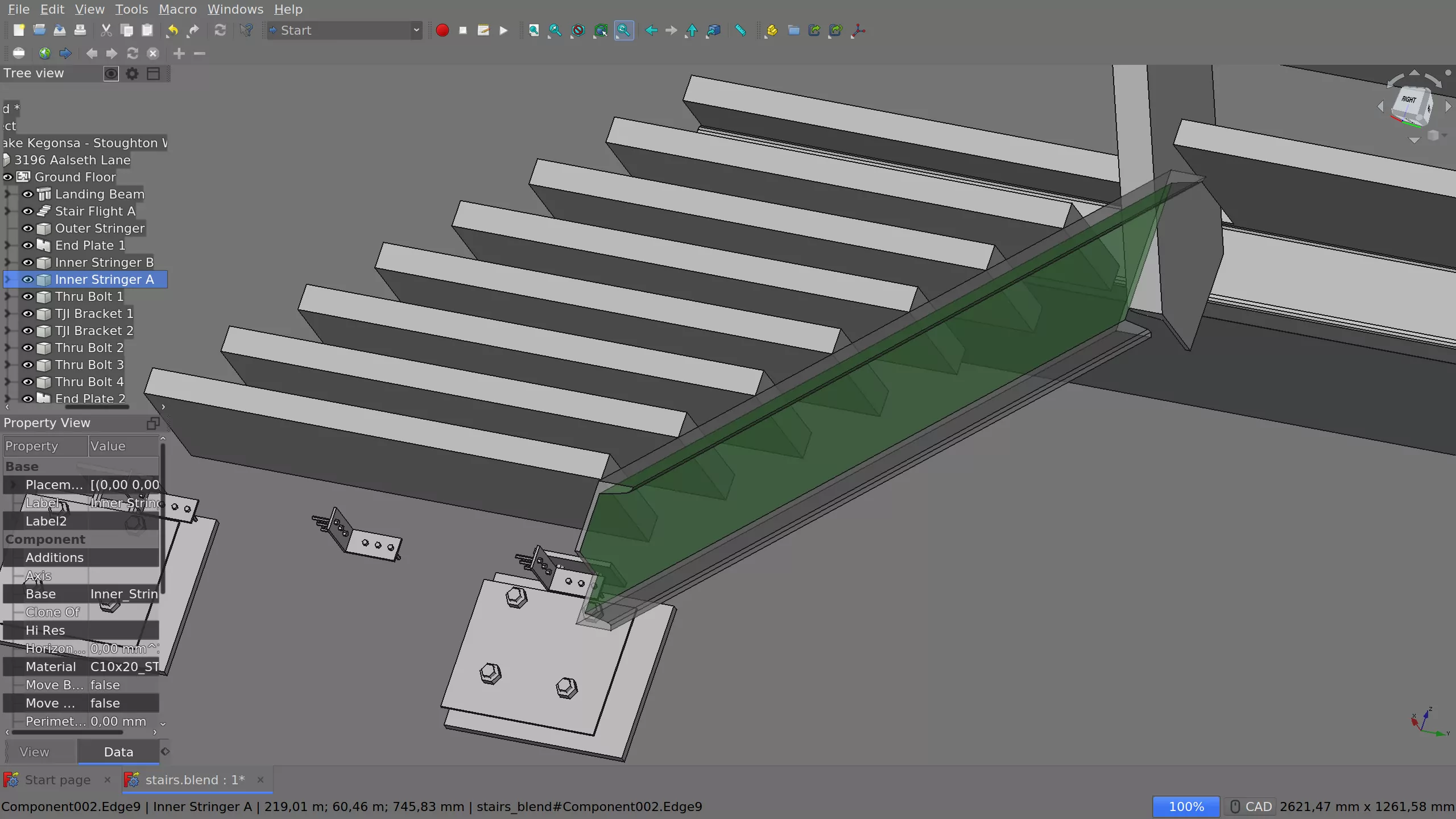
Kurt Kremitzki released an updated “Link” build of FreeCAD with usability improvements, such as easily accessible presets to try various looks of the program (Tools > Preset Configurations), e.g. dark theme with overlaid sidebars. So in one sweep, you can go from this:
to this:
Which works nicely, except there doesn’t seem to be an easy way to revert, so please think twice before choosing a preset with large text font and icons!
If you do 3D printing and, for some inexplicable reason, you haven’t heard of Ultimaker Cura, definitely take it for a spin. Highlights of this release:
Monotonic ordering to print parts with smoother top surfaces
Complete UI refresh: over 100 updated icons and adaptive UI that readjusts itself when window gets resized
Improved digital library integration with the search function
This free/libre EDA program by Lukas Kramer is relatively unknown (as compared to e.g. KiCad) but it’s a very interesting project that recently got an update. Highlights:
More natural visualization of arc selection
3D view now has keyboard shortcuts
Easy switching between multiple grids
Much less messy look of composite pads
Hints showing up to help learning key sequences — after a delay so that experienced users wouldn’t fret
The project is rather active. In fact, Lukas has just added an Align/Distribute tool, and earlier this month, he added support for nested schematic sheets.
Actually, all four major free/libre EDA projects that I recall — KiCad, LibrePCB, gEDA and Horizon — are actively maintained and developed, although gEDA has been falling behind lately.
First VSTi support demo in upcoming MuseScore 4
The MuseScore team is putting it all together for an alpha release. You can now load VST3 plugins for the playback of notation.
At least the nightly builds for Linux do not allow loading native GUIs for VST3 plugins yet (or I simply don’t know how to do that). So I can’t make use of sfizz to load orchestral samples, and I’m temporarily stuck on Pianoteq v5.x, so no VST3 for me. But hey, it’s a start! And judging by discussions on their Discord channel, the internal SFZ-based sampler they are creating for MuseScore specifically will be news-worthy soon enough.
Bespoke Synth 1.0.0
Ryan Challinor finally released v1.0 of Bespoke Synth which is more like a modular synthesis/composition environment really. This is a nice short overview of what you can expect form this version:
The Linux build isn’t particularly well done and might fail you (it did for me), but there’s ongoing work to improve it, and the developer is extremely humble and welcoming about that. So… Stay tuned? Because this is a seriously cool project.
I’d love to be able to use it, however it needs FLTK 1.4 to be released to support HiDPI displays. So… one day!
Tutorials
Krita timelapse by Orfenn Schuller:
Another Krita speed painting by Ali Bahabadi:
Boris Hajdukovic continues his series of lengthy in-depth darktable tutorials with this one:
Lonely Speck explains how to use Siril and Photoshop for astrophotography. Don’t worry about the Photoshop part too much. While GIMP doesn’t have the Dust and Scratches filter used in the tutorial, you can try the Remove Scratches filter in G’MIC.
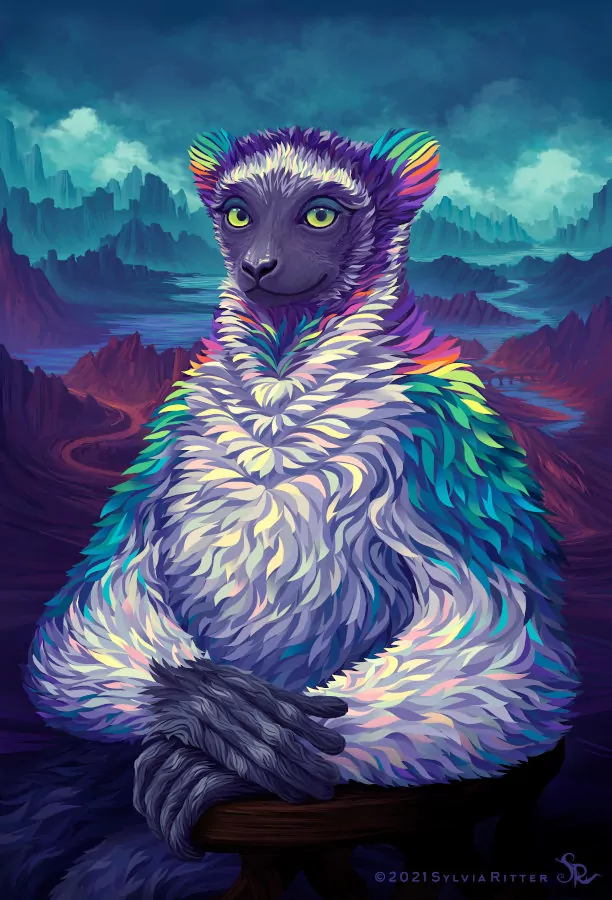
Sylvia Ritter, Impish Indri (codename for upcoming Ubuntu 21.10), Krita:
Each of my weekly recaps involves researching, building and testing software, reporting bugs, talking to developers, actually watching videos that I recommend, and only then writing. Time-wise, that’s usually between 10 and 20 hours. If you enjoy the work I do, you can support me on Patreon or make a one-time donation.
Paint with Brush is the latest addition to G’MIC. Even if you don’t understand German, just scroll to 1:45 to see it in action:
Inkscape updates
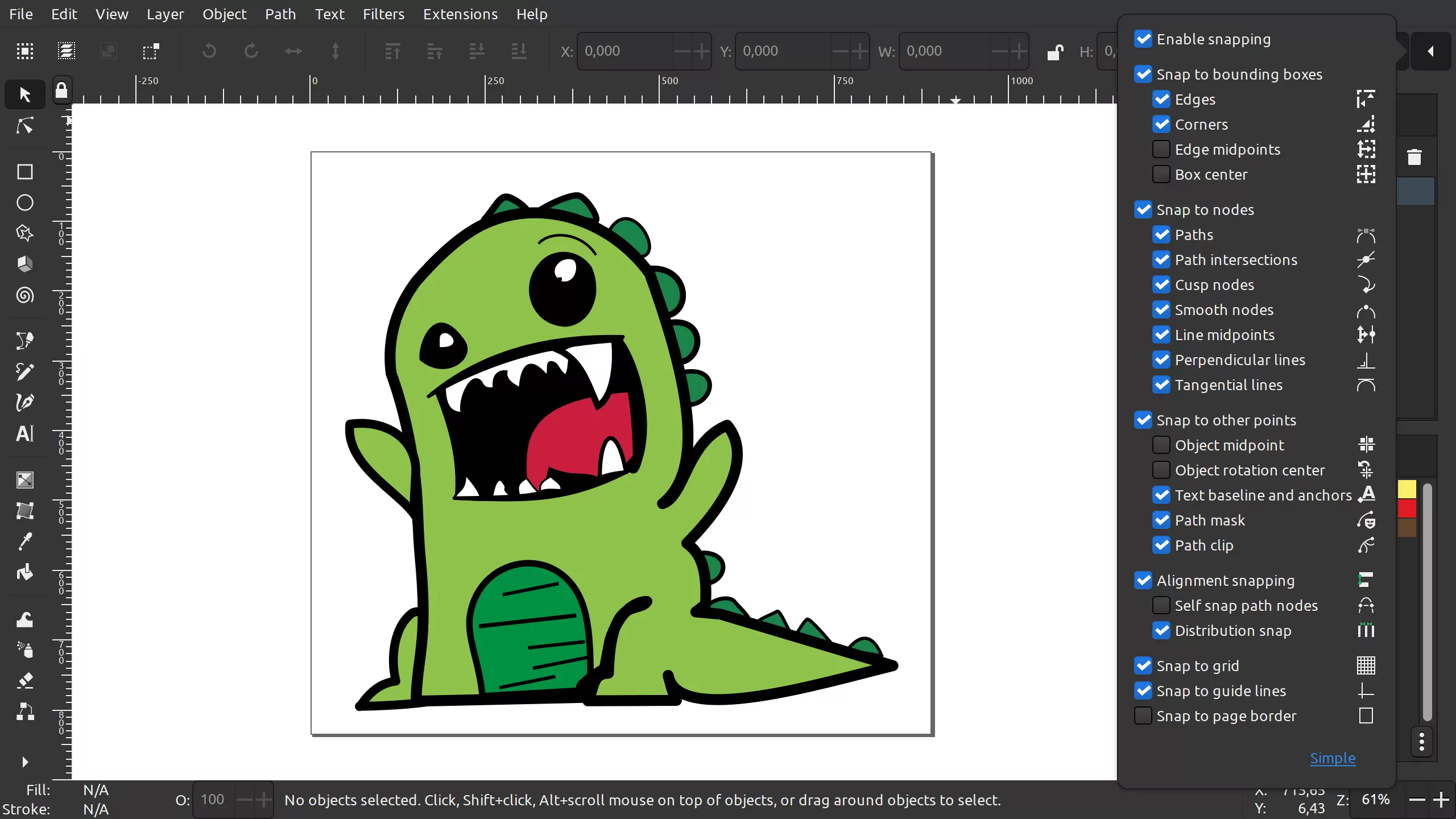
Most recently, Mike Kowalski merged his patch that turns the snapping toobar into a drop-down list of options (called popover in GTK).
Personally, I just save the usual snapping options I need into the default template, so I don’t particularly care how exactly they are accessible. What do you think?
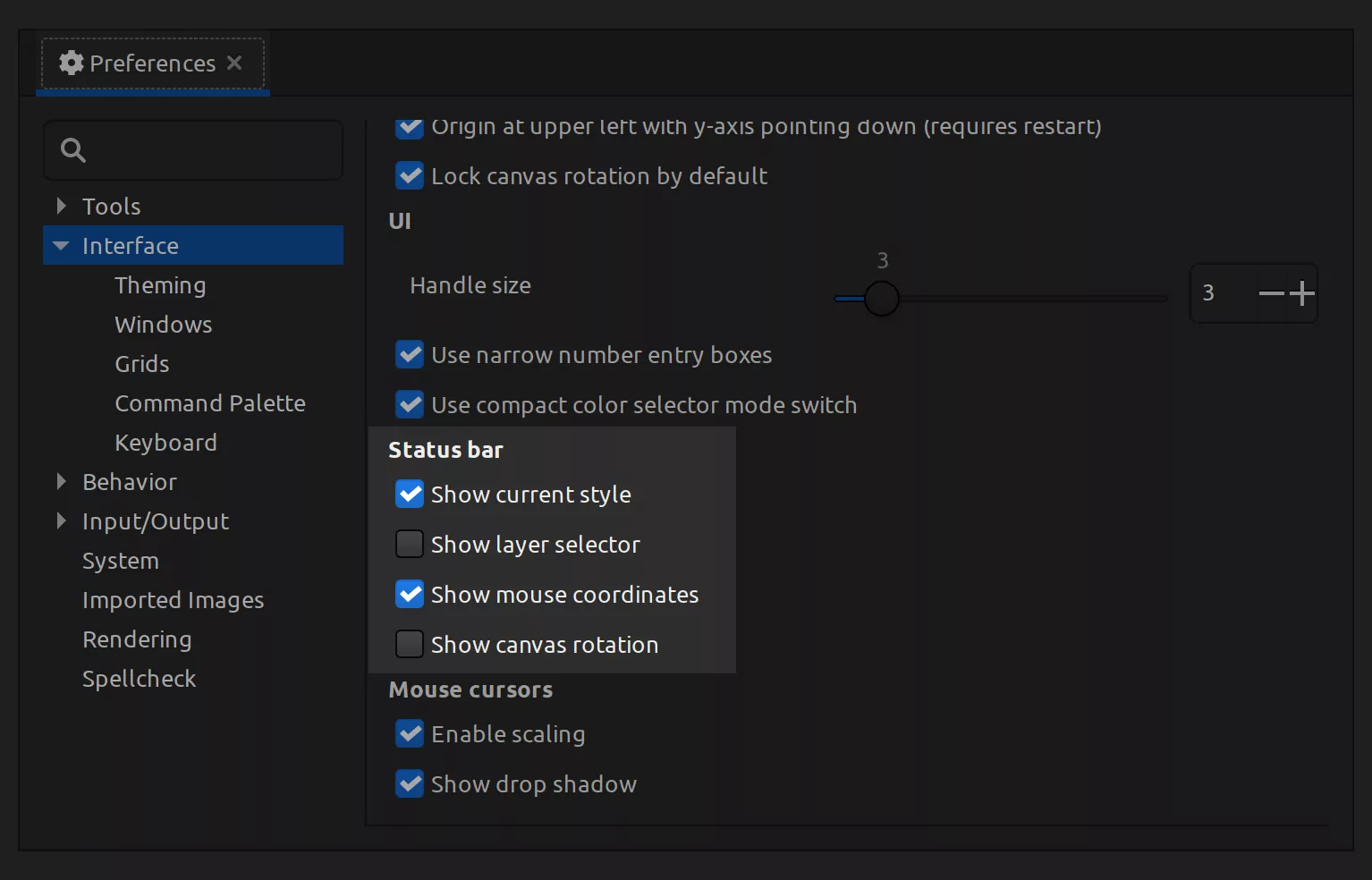
In fact, Mike changed various part of the UI over the summer, e.g. you can now configure which parts of the status bar are visible by default. If you never use the drop-down list to navigate layers, you can disable it. And if you never use canvas rotation, you can lock canvas rotation and disable the status bar control over canvas rotation entirely. That gives you more space for context hints.
FreeCAD Trails add-on got its first release
Alright, that actually happened in July but I only noticed that today. Hakan Seven and Maarten Vroegindeweij made the first official release of Trails, the transportation engineering workbench for FreeCAD. And there’s new features coming all the time.
Andrew Belt released a preview of what’s coming in VCV Rack 2 now expected in November this year.
Highlights:
Dark room mode (for working at night)
Better module sections management
Redesigned module browser
VST2 plugin to be part of paid version, more options to be added
The bit you are probably most interested in, from a forum post:
VCV Rack Community Edition will be GPLv3 (free/open-source). VCV Rack Studio Edition will be $99 ($149 after release sale) and include VST2 plugin support (+more plugin formats later) and professional support.
And the important part for plugin developers:
90% of plugins will only require a version update and a recompile (a 1-line edit, 15 seconds of work). For the other 10% of plugins using advanced or unstable API features, updating to v2 is easy and involves following a few search-and-replace steps.
There’s a new release of PipeWire every other week, here are some of the most (subjectively) interesting changes over the past few weeks:
Support multiple sample rates in the graph
S/PDIF pass-through over optical or HDMI is now implemented
Bluetooth can now automatically switch between headset and audio profile
Bluetooth codecs are now in separate plugins to make it easier to ship them
Better JACK compatibility, including improved Catia and Carla compatibility
Internal latency of ALSA devices can now be configured
A fast convolver was added to the filter-chain to implement virtual surround sinks or reverbs
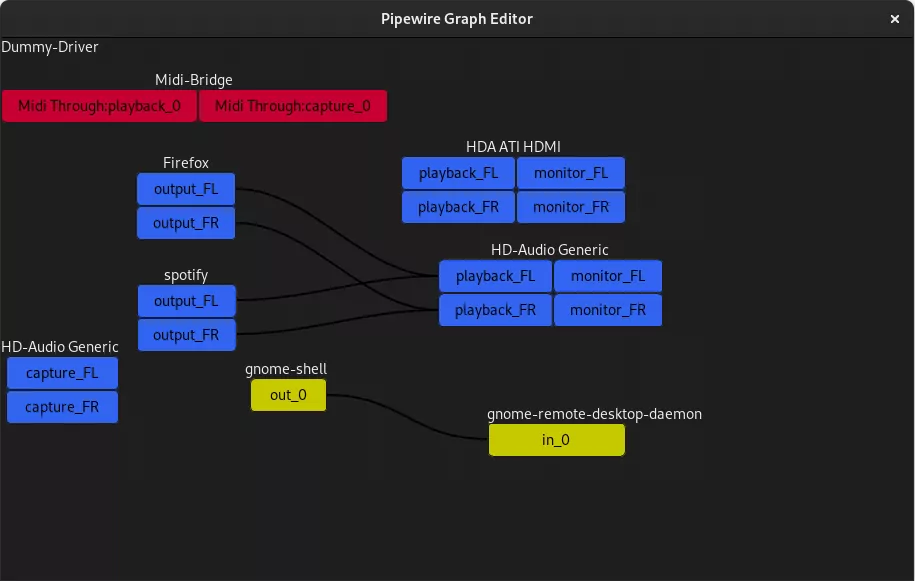
Meanwhile, you might want watching Helvum, a GTK-based patchbay for PipeWire.
ROLI files for bankruptcy, LV2 support in JUCE
If you didn’t follow all the news in the past few years, you might be asking yourself, whether ROLI filing for bankruptcy would affect JUCE in any way. After all, there are some very fine free/libre projects using this framework, like the recent DelayArchitect plugin.
Well, the thing is, they already sold JUCE to PACE in April 2020 (and probably started the process a year prior to that, as it is usual in mergers and acquisitions). And the project is rather active, they recently released version 6.1 with broader MIDI 2.0 support, support for VST3 extensions, support for native accessibility frameworks on macOS, Windows, iOS and Android etc. So no, unless you own any hardware instruments they made, you are probably fine.
Speaking of which, LV2 support might land to JUCE-based hosts and plugins after all. Developer reukwrites on GitHub:
We’ve recently been investigating adding LV2 support for both hosts and clients to JUCE, and I feel confident that this feature will be included in an upcoming release. We don’t have a concrete timeline for this work, but hopefully the beta will be ready soon (i.e. months rather than years).
Tutorials
Once you disregard the hilarious “Photoshop editing in GIMP” part of this video’s title, you might find this to be a very nice music-only tutorial on photo manipulation with GIMP.
This is a new Inkscape tutorial by grafikart:
Here is a great caracal speedpainting by Ali Bahabadi, made with Krita. The team recently published an interview with the artist:
This is a looooong no-commentary tutorial on making interior design visualization with Blender 2.9x and Eevee.
Each of my weekly recaps involves researching, building and testing software, reporting bugs, talking to developers, actually watching videos that I recommend, and only then writing. Time-wise, that’s between 10 and 20 hours. If you enjoy the work I do, you can support me on Patreon or make a one-time donation.
Jehan Pages took the challenge and has a preliminary implementation for GIMP.
Working on the ability to clone multiple layers simultaneously in @GIMP_Official, each layer cloning to itself. Code still in “demo” state (already ~ 25 files and more than 1000 lines of code touched) and lot of stuff now need to be fixed, but demo already works quite nicely. 🙂 https://t.co/YScMXIyoodpic.twitter.com/mAe5mH3qdS
There have been two Krita releases lately. Version 4.4.8 arrived last week with bugfixes. And then the first beta of v5 was released nearly two weeks ago, representing a few years of work and an insane amount of new features and improvements. If you ever hear them saying that this would be their greatest release ever, this won’t be a marketing ploy, it’s god’s honest truth.
There will be a few more releases before v5.0 can be proclaimed stable and ready to go. Meanwhile, you can download it to try various new things.
Here is a very nice overview:
The project is now also being exploited by scammers (probably not the first time either) which you might take as a sign of Krita going really mainstream.
Martin Owens continues hacking on multiple pages support. His private branch now allows opening all pages in a PDF file and saving them back as a multiple pages PDF file. Expect that in version 1.2 some time next year. You can support Martin on Patreon.
Siril changes
The project got another new developer and is rapidly moving towards releasing v1.0. Here is the latest addition:
Jens Georg announced that he’s about to drop maintaining the gexiv2 library which is a GObject wrapper for Exiv2, the almighty metadata handling tool. This will likely affect projects like GIMP.
Recent history of Exiv2 development is… complicated. In a nutshell, the need to support metadata in CR3 files revealed the need to add support for ISO Base Media File Format which is maybe patent-encumbered and maybe isn’t.
So there have been two camps: people who want it supported and people who want it either not supported or optional. Jens was with the latter.
Since Exiv2 already has a build-time option to enable or disable ISOBMFF support, it’s unclear why Jens would quit maintaining gexiv2. But that’s the reality of it.
Dion Moult is the true master of 3D, or rather, three D’s: dedication, determination, delivery. The latest update of BlenderBIM comes with 153 new features and fixes, no less. Highlights:
You can now insert windows and doors into walls, and there’s a project library available for authoring within Blender now.
The clash detector is back in the game.
The interfaces for costing, scheduling, and resource management were reworked, and now more start to integrate with one another.
Bringing interactive modelling and visual programming closer. Topologic can now transfer the custom #blender objects’ custom properties to dictionaries of Topologies that contain them. E.g., this will make it far easier to assign space types for energy analysis among many uses. pic.twitter.com/cjq2ibhtH6
The project has a new contributor, Julius Künzel, who is actively working on advanced cutting tools. He recently added Slip tool, and there is more coming. This work is scheduled for inclusion in version 21.12 expected in December.
Meanwhile, Jean-Baptiste Mardelle is working on further multicam editing improvements.
This is the third release since William Morrow passed away after a road accident last year. Highlights:
FFmpeg upgraded to v4.4, this brings 21 new plugins
New video plugin called Speed PerCent
OpenShot 2.6.0
It’s been almost 1.5 years since the previous release, Jonathan Thomas and Frank Dana have been really busy, hence this slew of changes available in newly released v2.6.0, some of them being:
Motion tracking, object detection, and stabilization now available
9 new audio effects, including compressor, delay, and an EQ
New transform tool to resize, rotate, move, scale etc.
Improved snapping
There’s a video that will walk you through the changes:
I’ve given this version some quick testing. Unfortunately, OpenShot is still very much not my cup of tea for a variety of workflow and UX reasons. But I know that it has an army of devout users who swear by it, so I’m happy for you!
LibreArp 2.1
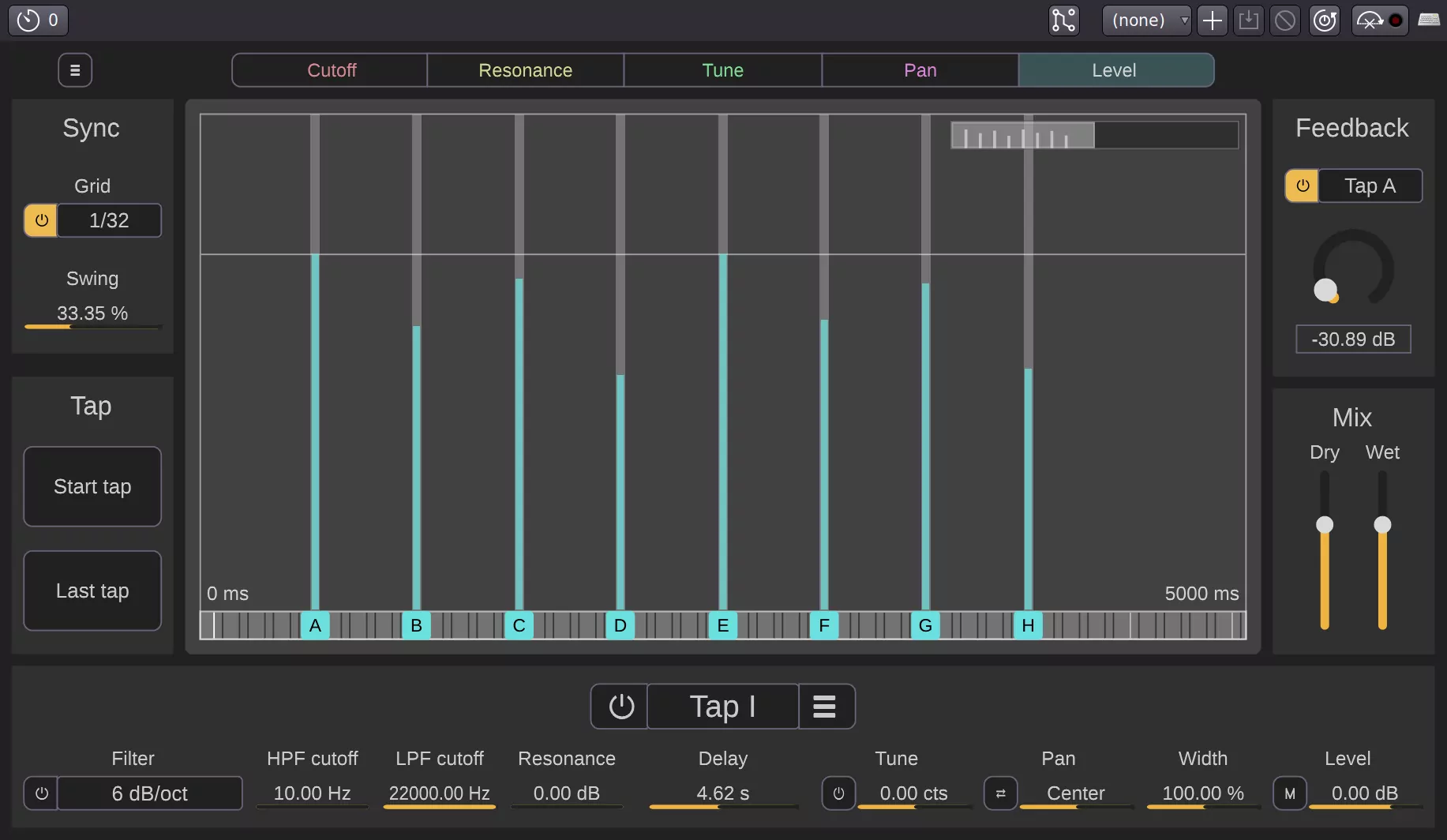
This little known LV2 arpeggiator recently went through UI rewrite, there’s a massive amount of changes in both v2.0 and 2.1 released just two weeks apart from each other, so I guess… Feel free to just treat it as a whole new plugin then? 🙂
Tutorials
Radu Dumitrescu shares a few tips on capturing the right kind of Milky Way photos for stacking with GIMP (there’s RawTherapee involved too):
And then here’s RIco Richardson and his darktable tutorial on processing Milky Way photos:
New Inkscape tutorial by Chris Hildenbrand:
Some very good low-poly modeling with Blender by Imphenzia:
Each of my weekly recaps involves researching, building and testing software, reporting bugs, talking to developers, actually watching videos that I recommend, and only then writing. Time-wise, that’s between 10 and 20 hours. If you enjoy the work I do, you can support me on Patreon or make a one-time donation.